
Ordering guide
How to order
Eight screens from picking to paying, shown on a phone. The screenshots show the Chinese version of the site.
- 01
Choose your items
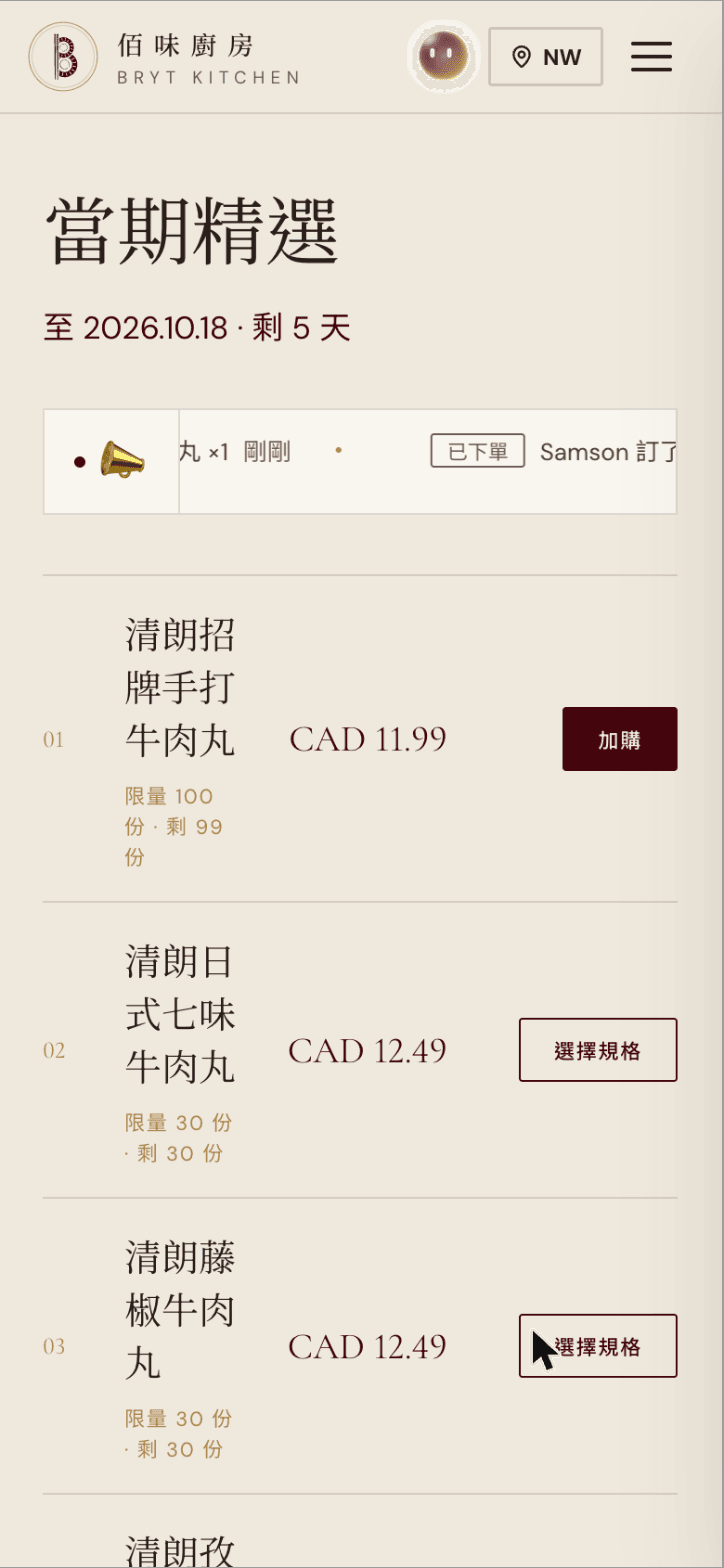
Browse the current drop. Every item shows its limit and how many are left, while they last. For items without options, tap “Add” to put them in your cart.
- 02
Choose options
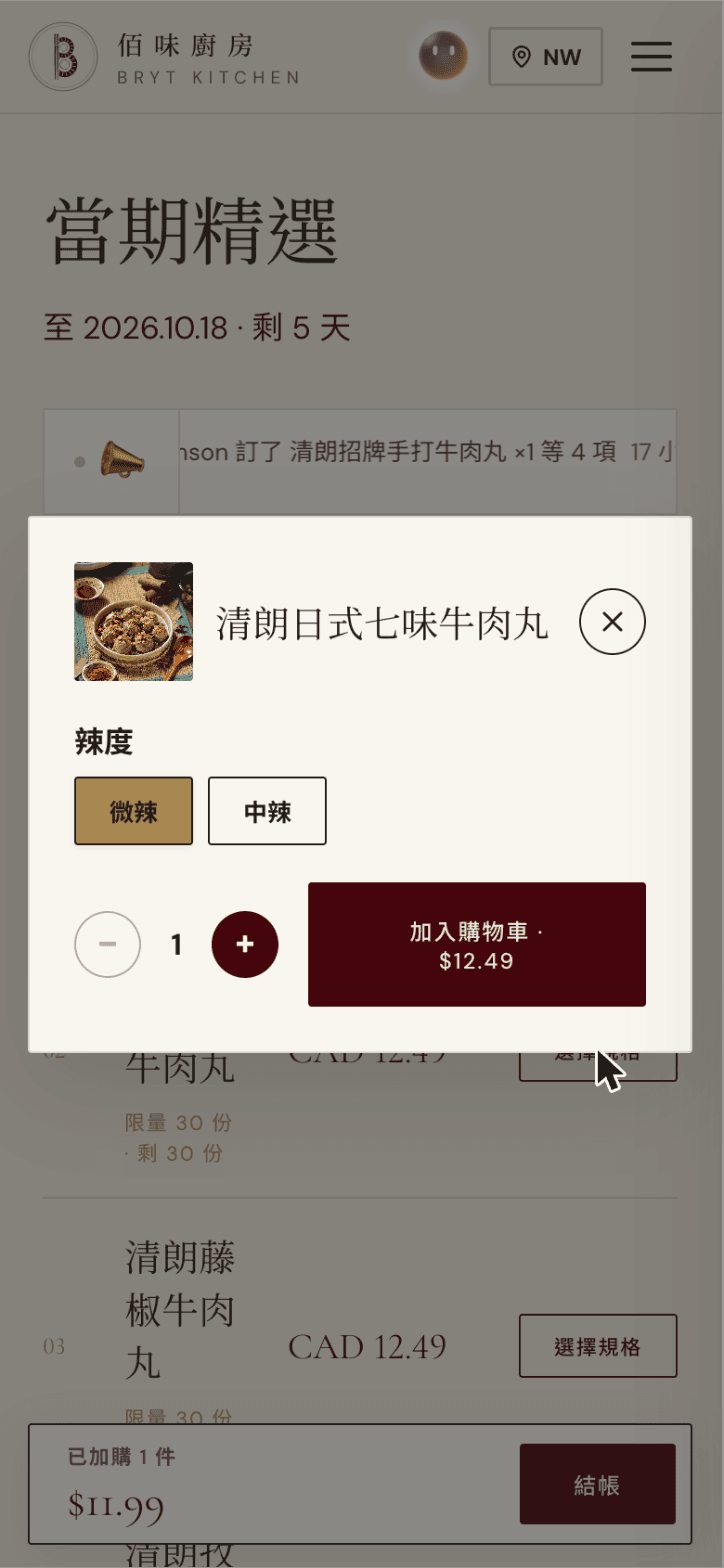
Some items need an option first, such as spice level. Tap “Choose options”, pick one, then tap “Add to cart”.
- 03
Head to checkout
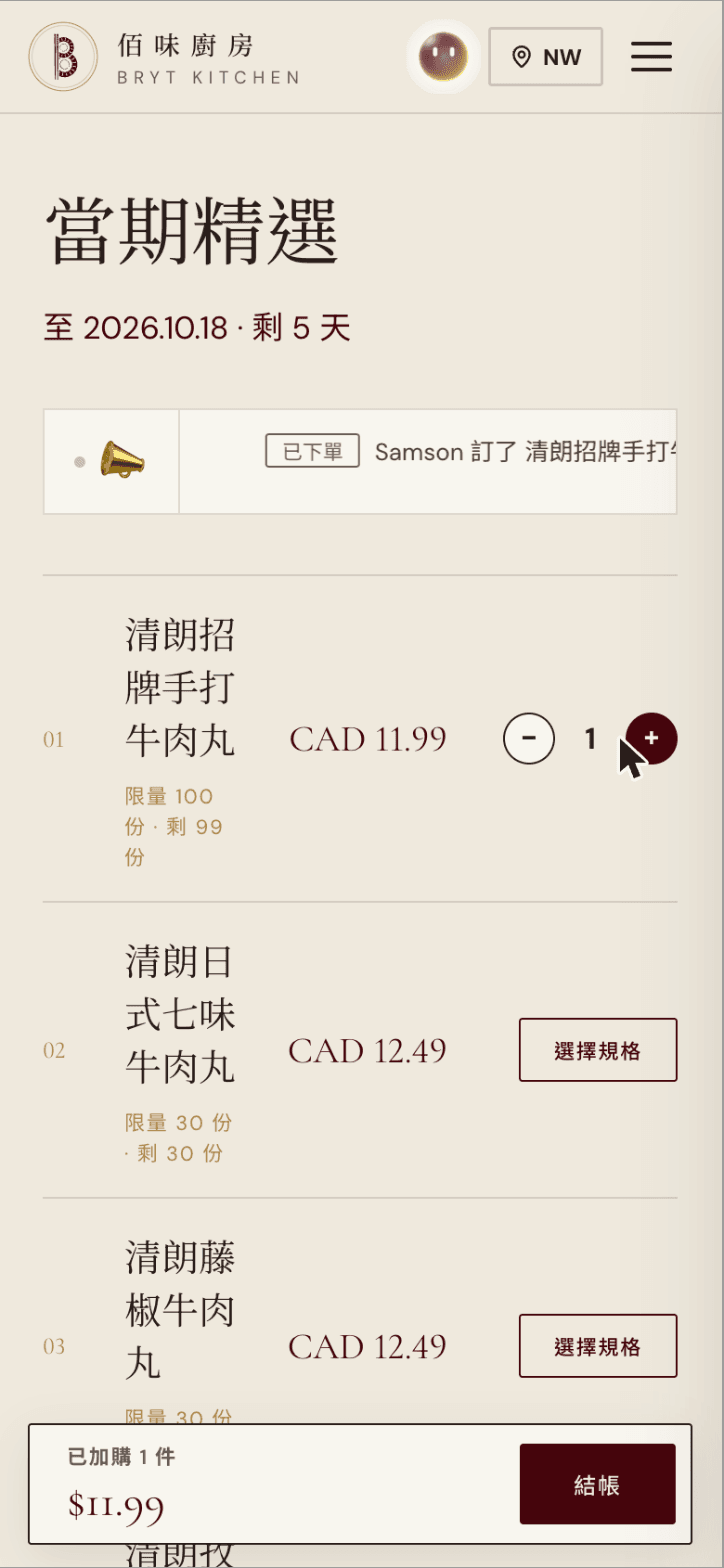
Once something is in your cart, a bar appears at the bottom with the item count and subtotal. Use − and + to change quantities, then tap “Checkout”.
- 04
Review your order, pick a pickup time
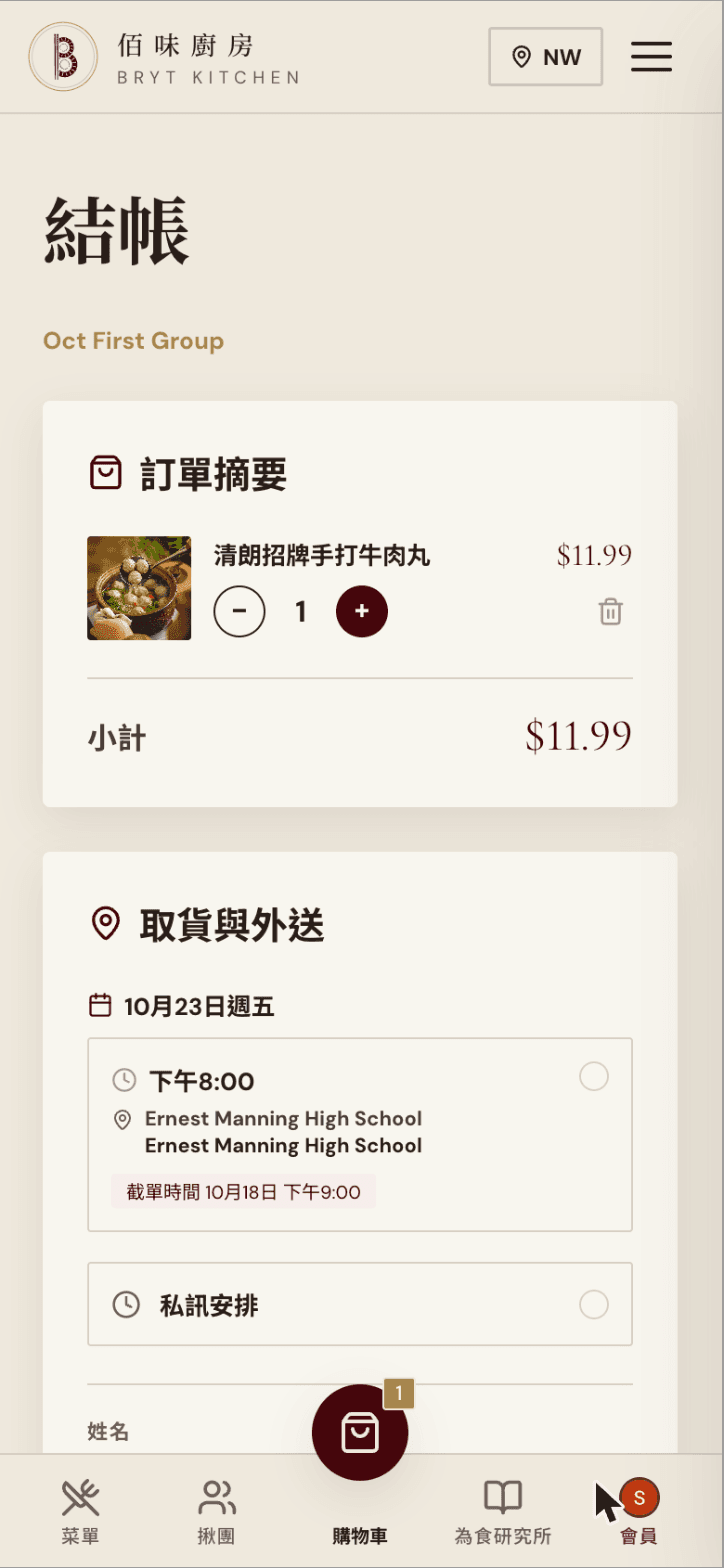
The order summary is at the top of checkout; change quantities or remove items there. You need to sign in to order: if you haven't, a sign-in button appears — Google or email both work. Then choose a pickup time and place; each slot shows its order cutoff. If none of the slots suit you, choose “Private chat arrangement” and we'll message you to confirm.
- 05
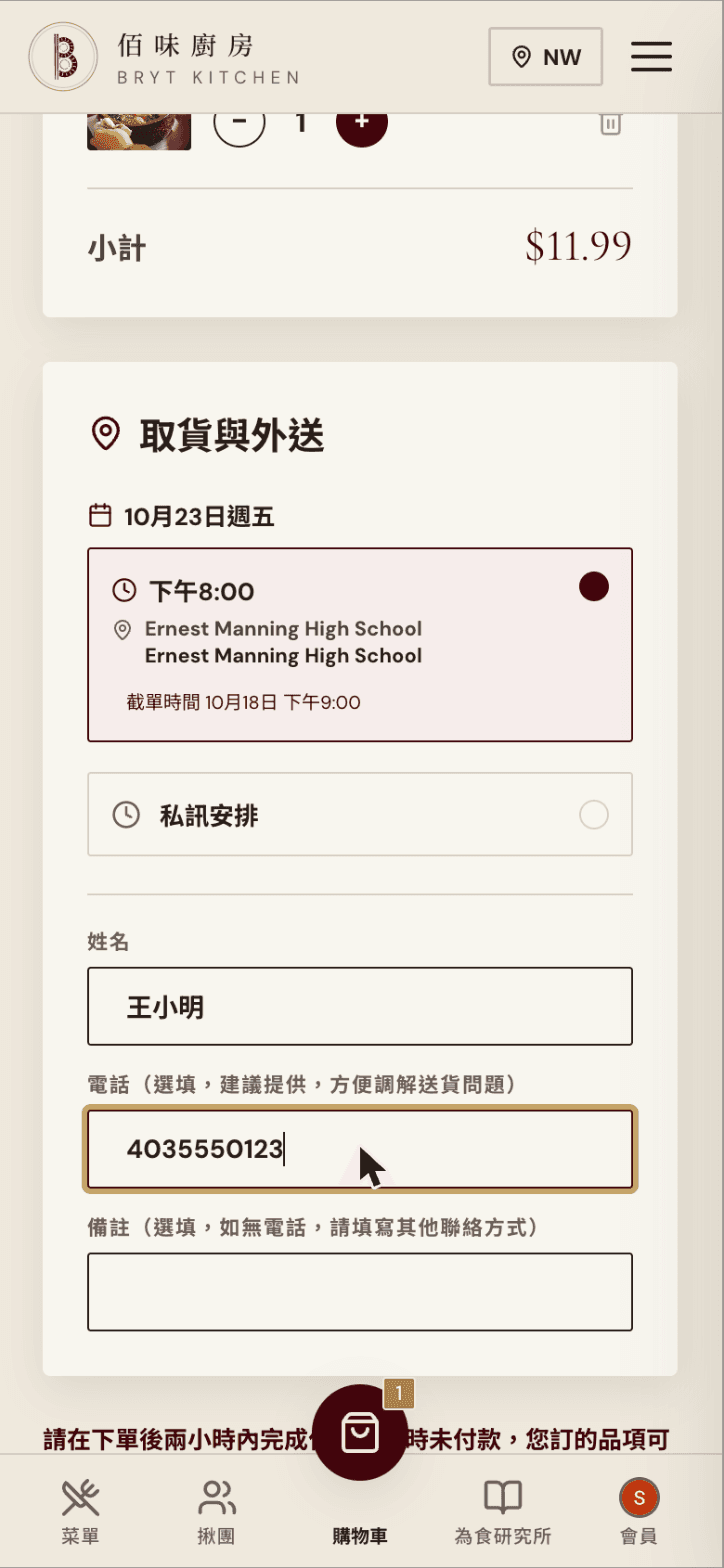
Fill in your details
Name is required. Phone is optional but recommended, so we can sort out pickup problems. Notes are optional; if you leave no phone number, put another way to reach you here.
- 06
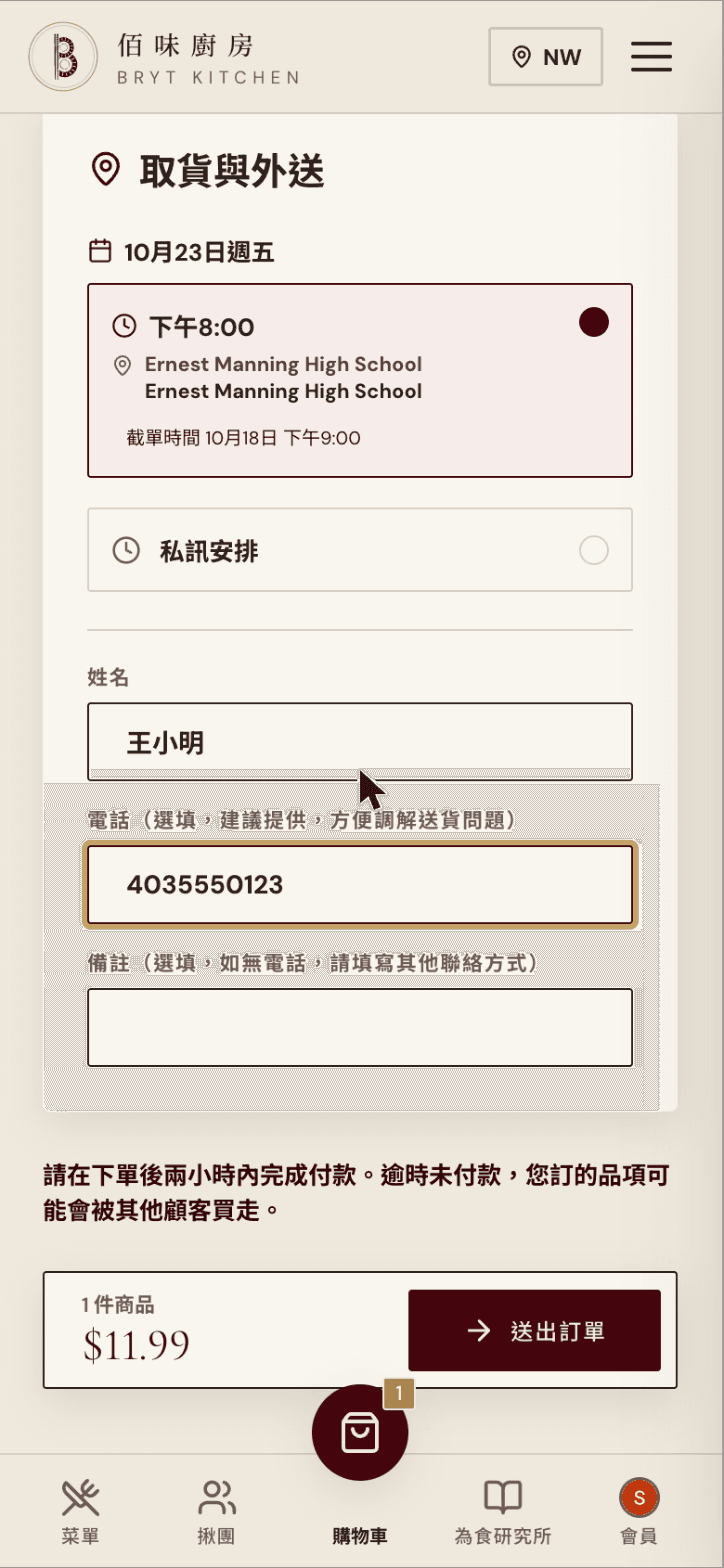
Place the order
Check your details and tap “Place Order”. Note the reminder on the page: pay within 2 hours of ordering, or your items may be bought by someone else.
- 07
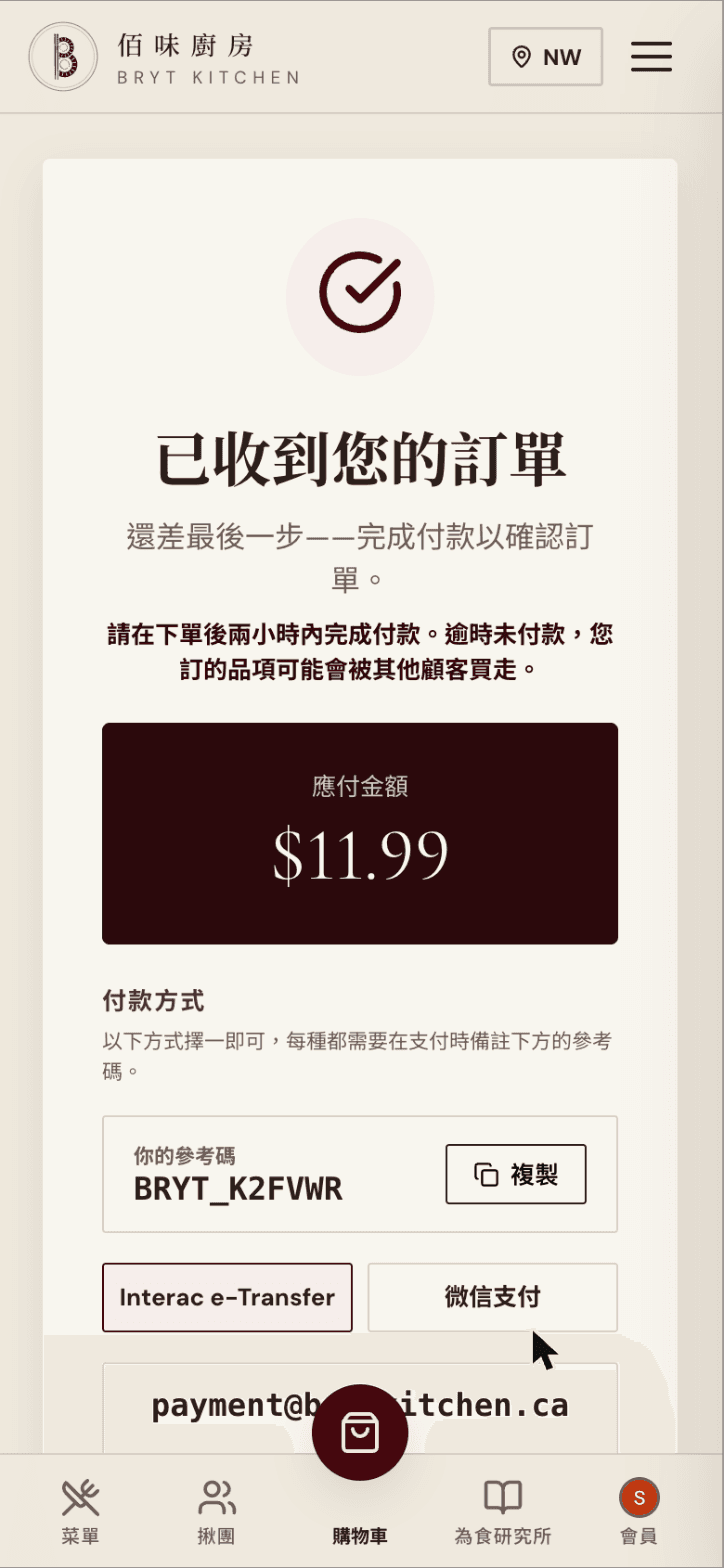
Note your reference code
After placing the order you see “We've received your order”, the amount due and your own reference code. You must put this code in the payment note; tap “Copy” to copy it.
- 08
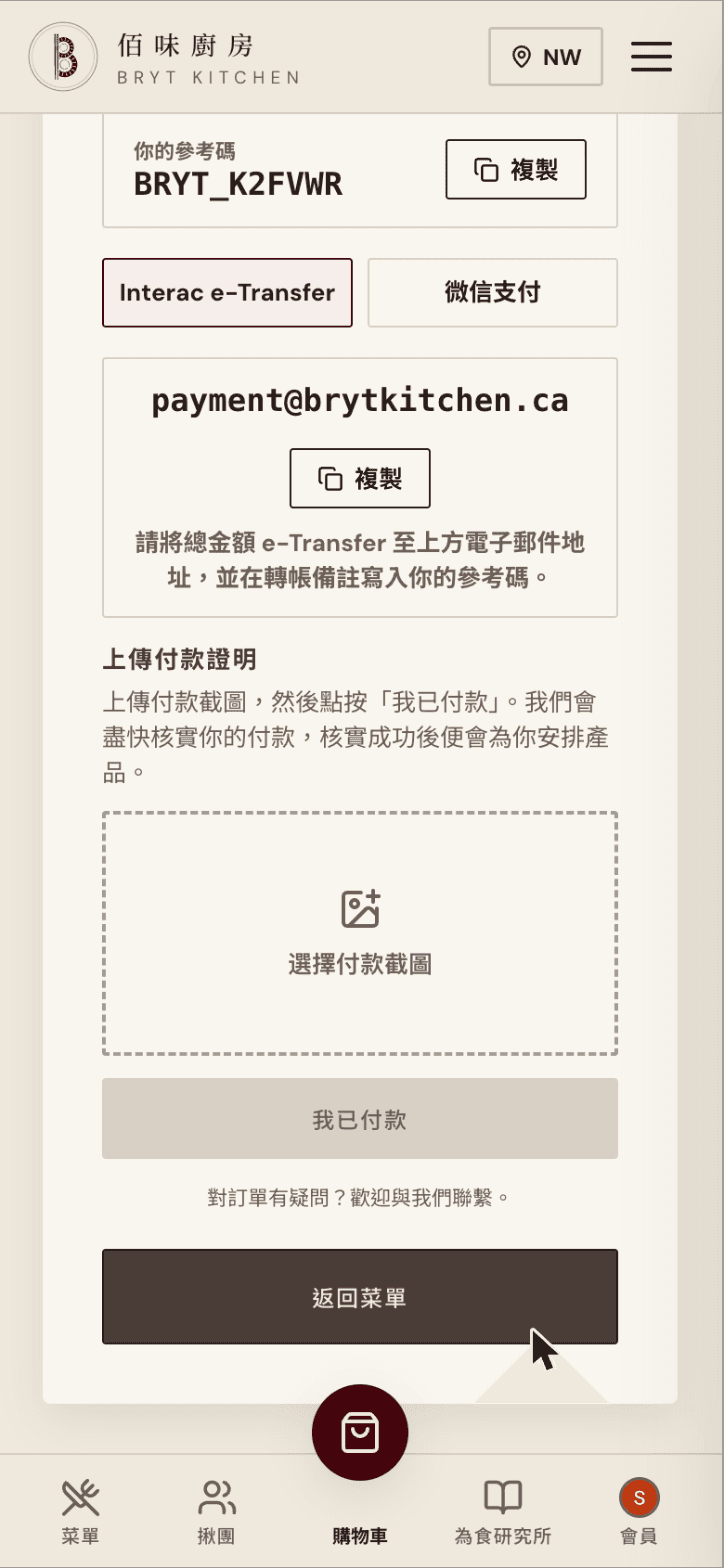
Pay and upload proof
Pay one way: Interac e-Transfer, or switch to “WeChat Pay”. Write your reference code in the transfer note. Then upload a screenshot of the payment and tap “I've paid”. We'll verify it and arrange your order.

Still not sure?
Ask Bacchus
Bacchus is Bryt Kitchen's AI assistant. Once you sign in, it can see your cart and orders, tell you the step to take now, and answer questions about payment and pickup. It only guides you — it never places an order or pays for you.
You could ask
- I'm not sure what to do next
- How do I pay? Where does the reference code go?
- I paid, so why isn't my order confirmed?
- When and where do I pick up my order?